Who owes you money,
and who do you chase next?
Type in each invoice you send, once. The app works out what is outstanding, what is late and how late, and puts the people worth chasing today at the top of one short list.
- Pay once, no subscription
- No account or sign-in
- Opens in your web browser
- Works offline
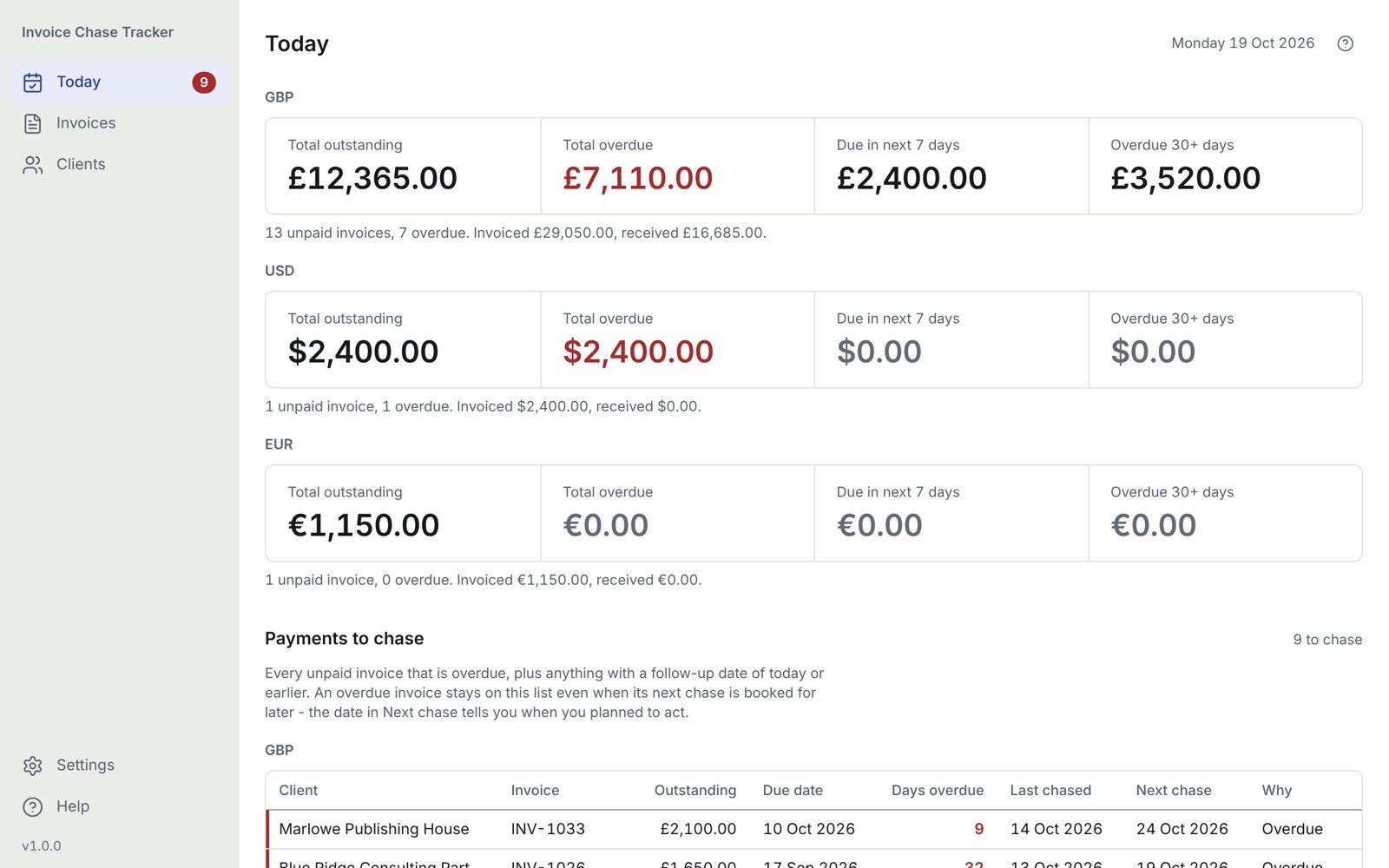
Made for freelancers, sole traders and small studios with a handful of clients and no bookkeeper.
How it works
Three steps, then one list each morning
Add your clients
Just the ones who currently owe you something.
Enter the invoices you have sent
One for each invoice. Ignore the paid ones for now.
Open Today each morning
Work down Payments to chase, most important first.
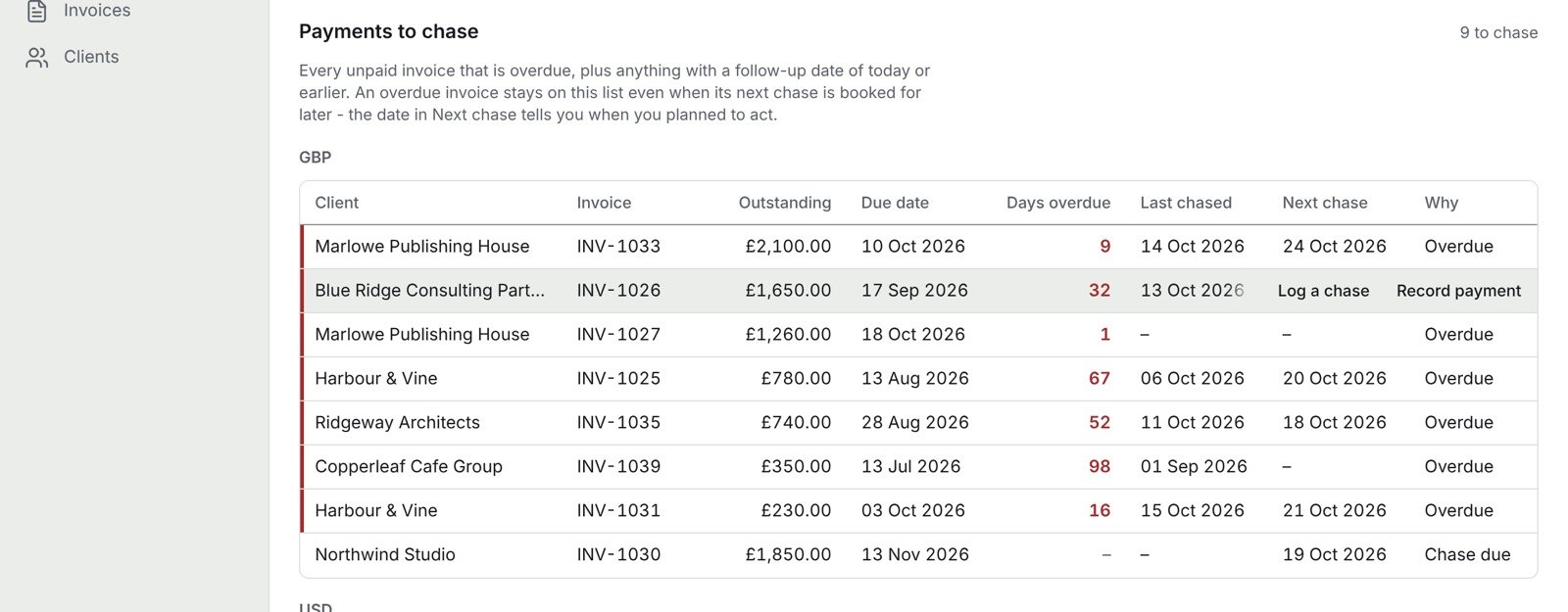
Payments to chase
One list of who to follow up, in order
Overdue first, then the biggest balances, then the oldest. Every unpaid invoice that is overdue is on it, plus anything with a follow-up date of today or earlier.
- Follow-up dates. Book your next chase and the invoice comes back to the list on that day.
- Days overdue, last chased and next chase, side by side.
- Clear statuses: Paid, Part Paid, Overdue, Due Soon, Not Due, and a plain-English warning when something needs fixing.
Payments and chases
Type it once. It adds up for you.
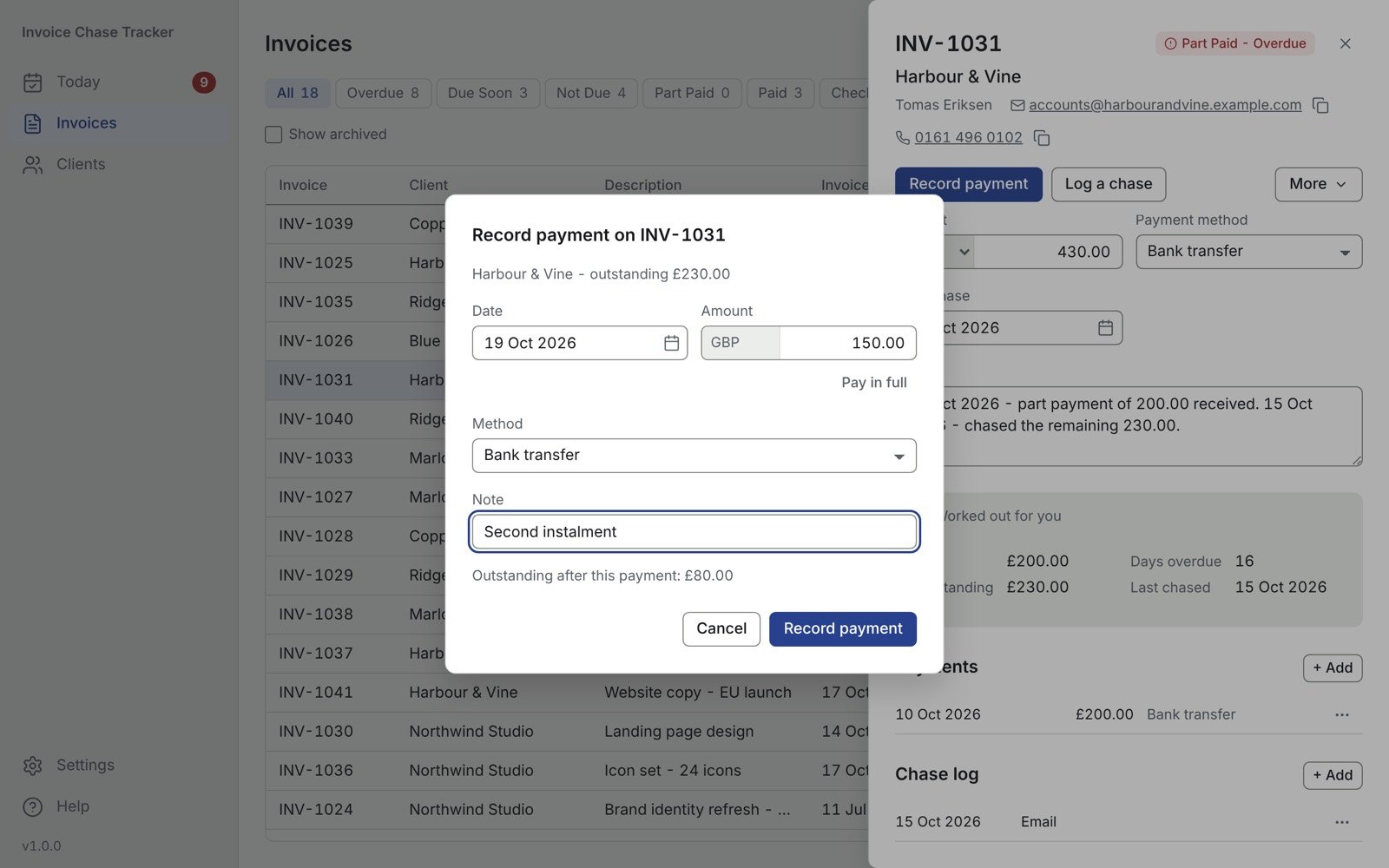
You type the invoice details, the payments that arrive and the chases you make. What is outstanding, the status and the days late are worked out for you.
- Part payments. Record each instalment and the balance updates itself.
- Chase log. Note who you emailed or called, and when.
- Client details to hand. The email address on an invoice opens your own mail app.
Your existing records
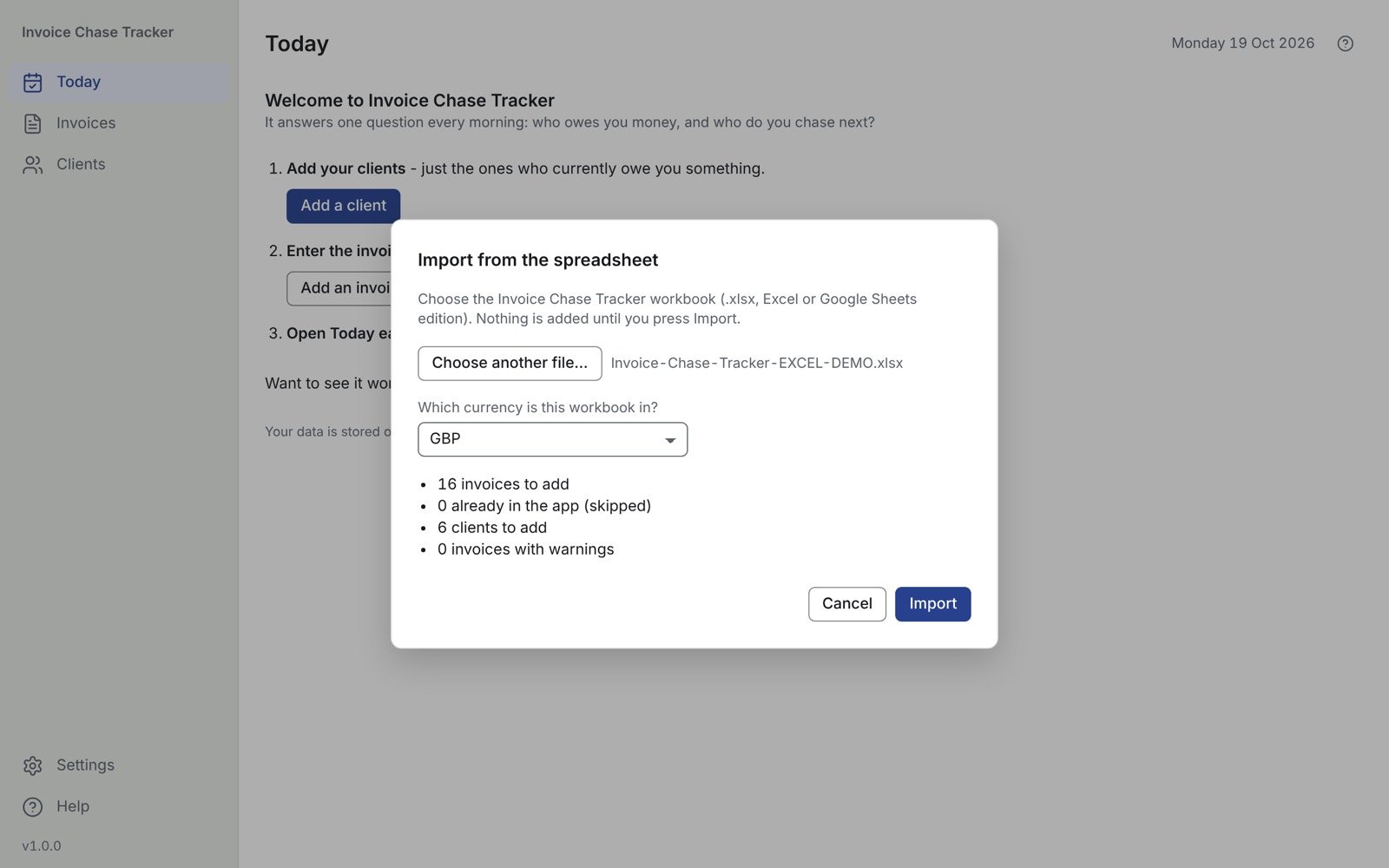
Bring your spreadsheet with you
Already use the Invoice Chase Tracker spreadsheet, Excel or Google Sheets edition? Import it. You see what will be added before anything changes, and importing the same file twice adds nothing.
- Export any time to an Excel workbook or CSV files.
- More than one currency. Totals kept side by side, never converted.
- Light and dark mode.
Private by design
Your records stay on your computer
No account, no sign-in
No subscription either. Pay once and it is yours.
Never connects to the internet
Your records stay inside your browser, on your computer. Nothing you type leaves it.
Back up with one click
Save a backup file and restore it in any browser, on this computer or another.
Instant download
Everything you need, in one download
Prefer Etsy? Buy it on Etsy
Secure checkout by Payhip. Single-user licence for your own business.
What you get
- Invoice Chase Tracker, browser edition: one app file you open in Chrome, Edge, Firefox or Safari, on Mac, Windows, Linux or Chromebook
- Start Here guide (PDF)
- Quick Start Guide (PDF)
- Read Me & Licence (PDF)
Good to know
What it does not do
It is not accounting software
No VAT, tax, bank reconciliation or invoice creation. It tracks invoices you have already sent and the follow-ups you owe yourself.
It does not send emails for you
The email address on an invoice opens your own mail app.
Your records live in one browser
Clearing your browser's site data deletes them, so back up regularly. The app reminds you.
Currencies are never converted
Amounts in different currencies are kept side by side. There are no exchange rates in the app.
Questions
Before you buy
Which computers and browsers does it work on?
A current version of Chrome, Edge, Firefox or Safari, on Mac, Windows, Linux or Chromebook. There is nothing to install.
Do I need an internet connection?
No. The app works offline and never connects to the internet.
Where are my records kept?
Inside the web browser you open the app in, on your computer. They are not stored in the app file. Clearing the browser's site data deletes them, so press Back up now every week or two and keep the backup file somewhere safe.
Can I move to another computer or browser?
Yes. Back up in the old browser, open the app in the new one and choose Restore from backup.
Can I import my existing spreadsheet?
You can import the Invoice Chase Tracker spreadsheet, Excel or Google Sheets edition. You can export your invoices to Excel or CSV at any time.
Is it a subscription?
No. You pay £16.99 once. There is no account and no sign-in.
What if something is not working?
Because it is a digital download, it can't be returned. If something is not working, email info@tidysumstudio.com and I will reply within 2 working days and put it right or refund.
Know who to chase, every morning
One payment of £16.99. No account, no subscription, works offline.